
I have been posting to the Euler forum and have "mastered" links, LaTex, and basic formatting. But how to post an image?
I finally figured it out: You first have to upload your image to a hosting site (for example https://imgur.com), then copy the image link (not the url of the page containing the image) and include it in "img" tags in your post.
Example: This post of mine contains an image: https://projecteuler.net/thread=802#415205. You can see the details by clicking "Quote" above the post.
How Do I... Include image in forum post?

-
heteroing

- Posts: 80
- Joined: Thu Sep 10, 2020 10:23 am
- Contact:
Re: How Do I... Include image in forum post?
Nice image! Illustrations are so rare to see in PE forums, I always get excited when I can share some or look at the nice pretty pictures people post. You can post gifs too, for example see my post in 765.

-
johniler
- Posts: 2
- Joined: Sat Apr 22, 2023 2:20 am
Re: How Do I... Include image in forum post?
I have included png format images in previous PE thread posts, but they they no longer display and have been replaced by little icon boxes. I verified that the linked image is still present.
An example of the issue is seen in my problem 816 post at:
https://projecteuler.net/action=edit;post_id=416570
This is trying to display the image
https://imgur.com/a/J9hI6v6
Interestingly, it works fine if I replace the image line with the example from
https://projecteuler.net/about=forum_tags
which has an img tag for https://projecteuler.net/themes/logo_default.png
My problem 411 post has the same problem
https://projecteuler.net/action=edit;post_id=361498
which includes an img tag for http://iler.x10host.com/p411.png
I would be delighted to learn how to fix this and make my images appear again!
An example of the issue is seen in my problem 816 post at:
https://projecteuler.net/action=edit;post_id=416570
This is trying to display the image
https://imgur.com/a/J9hI6v6
Interestingly, it works fine if I replace the image line with the example from
https://projecteuler.net/about=forum_tags
which has an img tag for https://projecteuler.net/themes/logo_default.png

My problem 411 post has the same problem
https://projecteuler.net/action=edit;post_id=361498
which includes an img tag for http://iler.x10host.com/p411.png
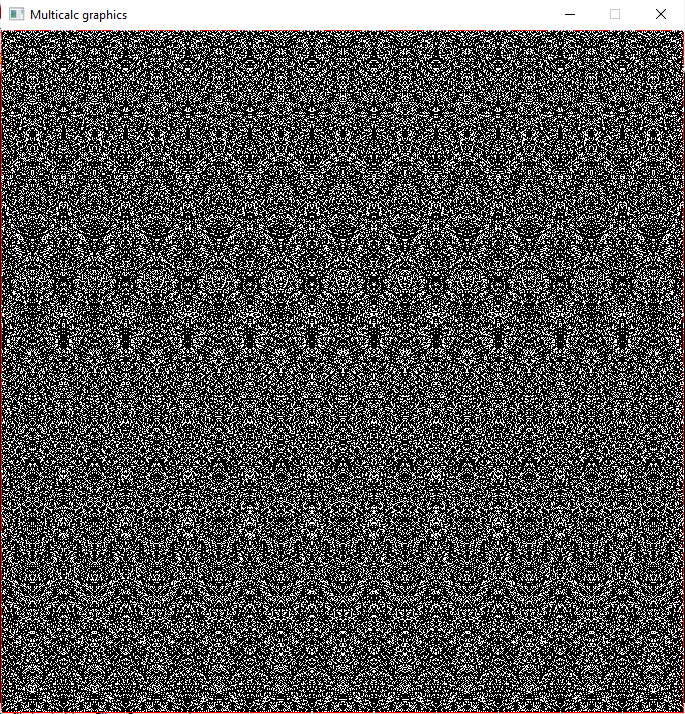
I would be delighted to learn how to fix this and make my images appear again!
-
philiplu
- Posts: 92
- Joined: Wed Aug 02, 2017 8:51 pm
- Location: Redmond, WA, USA
Re: How Do I... Include image in forum post?
Imgur just announced some changes, mostly about no NSFW images, but they're also removing images that aren't tied to an account. Any chance you're uploading images without using an account? I've no idea how that's even done - all my images for forum posts are via an account, and those all show up fine.
Your URLs look a little different than mine - for instance, here's a link to imgur to something I saved a couple years ago, I think when Project Euler was glitching for me and I wanted to post what I was seeing.

The URL there is https://i.imgur.com/zgLIjQB.png. Your URLs are missing that "i." before imgur.com. But I doubt that's the problem. I just tried changing that link to omit the "i." and the image still appears just fine in a preview.
Your URLs look a little different than mine - for instance, here's a link to imgur to something I saved a couple years ago, I think when Project Euler was glitching for me and I wanted to post what I was seeing.
The URL there is https://i.imgur.com/zgLIjQB.png. Your URLs are missing that "i." before imgur.com. But I doubt that's the problem. I just tried changing that link to omit the "i." and the image still appears just fine in a preview.

-
euler

- Administrator
- Posts: 5095
- Joined: Sun Mar 05, 2006 4:49 pm
- Location: Cheshire, England
- Contact:
Re: How Do I... Include image in forum post?
Just to add to philiplu's post...
Code (with spaces added to stop it rendering): [ img ]https://i.imgur.com/gcvhnhB.png[ / img ]
Renders as:

I should also add, that images that don't use HTTPS will not be processed. However, I tried your second image (using HTTPS) and I couldn't get to see it at all.
If you visit https://imgur.com/a/J9hI6v6 you will see a whole webpage being rendered, not an image. However, if you right click on the image and select open image in new tab, you will see just the image. When I tried it with that image it had the url: https://i.imgur.com/gcvhnhB.png. I don't know Imgur that well, so it's possible that the image URL is temporary.johniler wrote: Sat Apr 22, 2023 2:33 am An example of the issue is seen in my problem 816 post at:
https://projecteuler.net/action=edit;post_id=416570
This is trying to display the image
https://imgur.com/a/J9hI6v6
Code (with spaces added to stop it rendering): [ img ]https://i.imgur.com/gcvhnhB.png[ / img ]
Renders as:
I should also add, that images that don't use HTTPS will not be processed. However, I tried your second image (using HTTPS) and I couldn't get to see it at all.

impudens simia et macrologus profundus fabulae
-
johniler
- Posts: 2
- Joined: Sat Apr 22, 2023 2:20 am
Re: How Do I... Include image in forum post?
Thank you all for your generous help! As you pointed out, I had two issues:
- Images with http: no longer work. https: must be used.
- URLs must be to the image directly, not a web page including the image.
I have put all my Euler post images at imgur.com and updated the related posts. They all work now.
Just in case it helps someone else, here are the step-by-step directions. This does not reference Euler posts, since those can only be seen if you have solved the related problem.
1) Create a free account at imgur.com and login.
2) Upload your image using the 'new post' button.
Keep the image 'hidden' to avoid revealing a spoiler. Hidden images are only accessible if one knows the URL and are not posted on the imgur public page.
3) Do not use the 'grab link' button. This will give the URL of a page that contains the image, not the image directly.
4) Open the image in a new tab (Firefox: right click on image, select 'open image in new tab'.)
5) Copy the URL of the image (e.g. https://i.imgur.com/eJHw3j6.png)
6) Insert a line of the following form into your Euler post:
[ img]https://i.imgur.com/eJHw3j6.png[ /img] (remove the spaces after each '[')
A few notes on imgur.com
- You can post images without creating an account, but they may be more likely to be deleted as of May 15, 2023. See the following:
https://www.engadget.com/imgur-to-ban-e ... 37118.html
- Most common image and video formats are supported up to 20MB.
- It appears that Imgur will keep your images 'forever' for now, but I cannot find an explicit statement of this policy.
- For what it's worth: a huge number of reddit posts link directly to images as described here, so it appears that image links are as stable as linking to the container web pages that 'grab link' supplies.
- Keep a local copy of your images in case you need to rehost them to another service in the future (exactly what I just had to do since my old service does not support https).
- Images with http: no longer work. https: must be used.
- URLs must be to the image directly, not a web page including the image.
I have put all my Euler post images at imgur.com and updated the related posts. They all work now.
Just in case it helps someone else, here are the step-by-step directions. This does not reference Euler posts, since those can only be seen if you have solved the related problem.
1) Create a free account at imgur.com and login.
2) Upload your image using the 'new post' button.
Keep the image 'hidden' to avoid revealing a spoiler. Hidden images are only accessible if one knows the URL and are not posted on the imgur public page.
3) Do not use the 'grab link' button. This will give the URL of a page that contains the image, not the image directly.
4) Open the image in a new tab (Firefox: right click on image, select 'open image in new tab'.)
5) Copy the URL of the image (e.g. https://i.imgur.com/eJHw3j6.png)

6) Insert a line of the following form into your Euler post:
[ img]https://i.imgur.com/eJHw3j6.png[ /img] (remove the spaces after each '[')
A few notes on imgur.com
- You can post images without creating an account, but they may be more likely to be deleted as of May 15, 2023. See the following:
https://www.engadget.com/imgur-to-ban-e ... 37118.html
- Most common image and video formats are supported up to 20MB.
- It appears that Imgur will keep your images 'forever' for now, but I cannot find an explicit statement of this policy.
- For what it's worth: a huge number of reddit posts link directly to images as described here, so it appears that image links are as stable as linking to the container web pages that 'grab link' supplies.
- Keep a local copy of your images in case you need to rehost them to another service in the future (exactly what I just had to do since my old service does not support https).